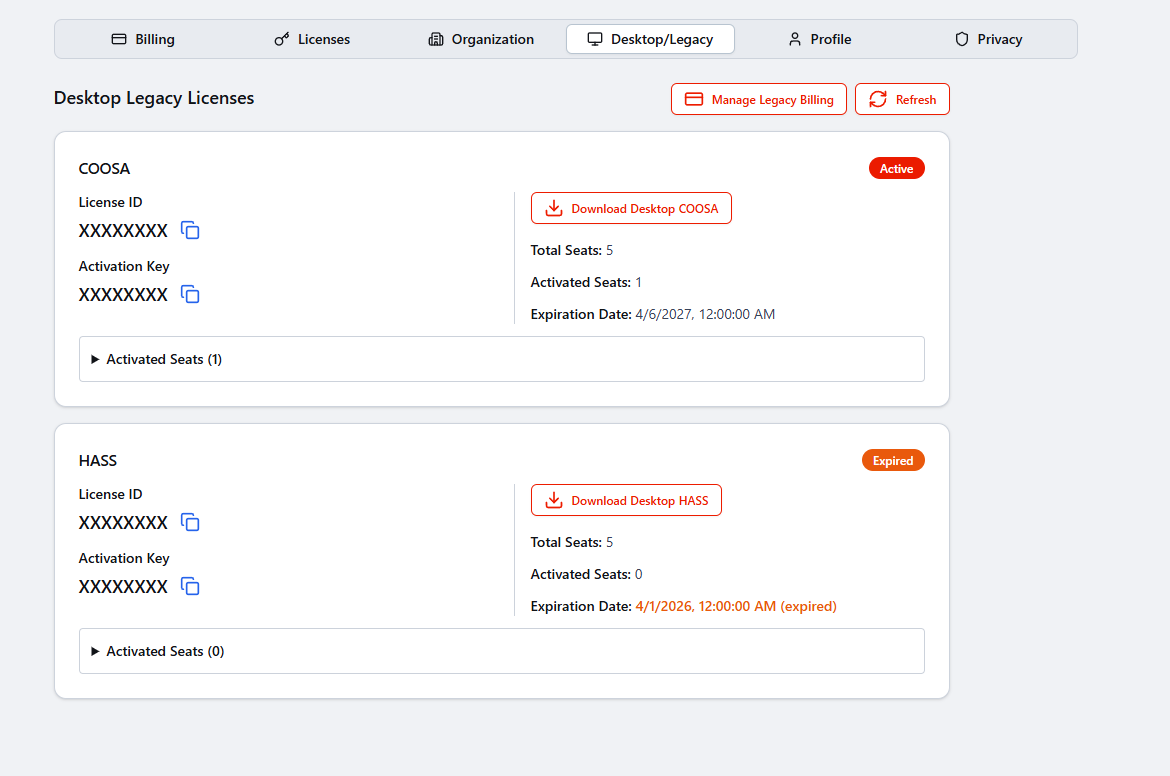
Account Management / Legacy Desktop License Management
Legacy Desktop License Management
Use this page when you need to view or manage your existing Legacy Desktop licenses and accounts from HASS Cloud.
Your HASS Cloud login details are the same login details used for Legacy Desktop access. You do not need a separate username or password.
Open Legacy Desktop License Management
You can get to your existing Legacy Desktop licenses and accounts in either of these ways:
Option 1: Home Page Purple Button
From the HASS Cloud home page, select the large purple button for Legacy/Desktop account access.
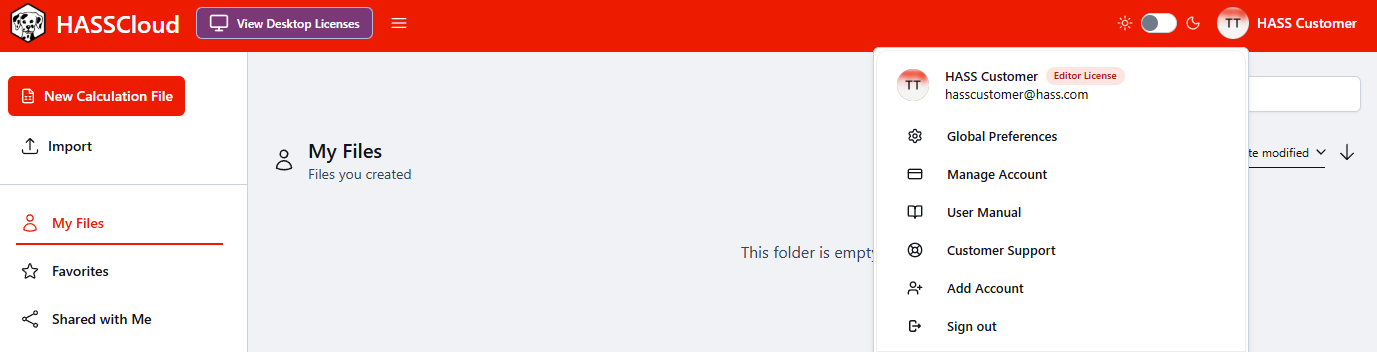
Option 2: Account Menu Path
- Select your name in the top-right corner.
- Select Manage Account.
- Select Desktop/Legacy.
This opens your existing Legacy Desktop licenses and accounts.